Playing guide
These options and rules describe the current JoyPip version. Choose a mode above before starting; rules are also available during play.
Step-by-step examples
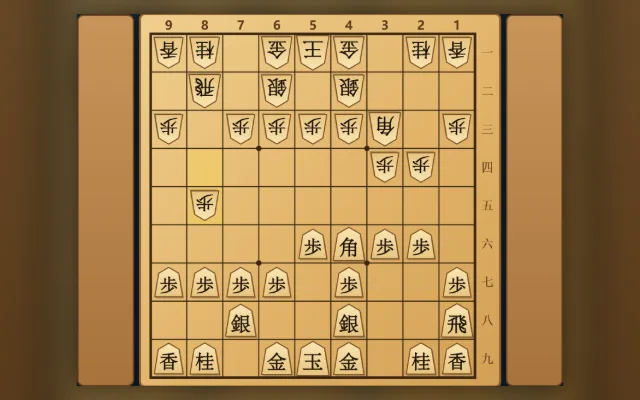
Select a step to see what changes. These are partial examples, not full starting positions.
Practice options
- Bot difficulty
- Beginner · Amateur · Professional · Master
- Play as
- First player (moves first) · Second player (moves second) · Random
Private room options
- Time (main + byoyomi)
- 5+3×20s · 10+3×30s · 15+5×30s · 0+1×30s
Detailed rules and controls
How the pieces move
- King: one square in any of the eight directions
- Rook: any distance orthogonally; promotes to Dragon, which may also move one square diagonally
- Bishop: any distance diagonally; promotes to Horse, which may also move one square orthogonally
- Gold: one square forward, diagonally forward, sideways or straight back (not diagonally back)
- Silver: one square forward or diagonally in any direction; promoted, it moves like a gold
- Knight: jumps two squares forward and one to the side, over other pieces, never backwards; promoted, it moves like a gold
- Lance: any distance straight forward, never backwards; promoted, it moves like a gold
- Pawn: one square forward, and captures forward too; promotes to Tokin, which moves like a gold
Rule details
- When promotion is optional you choose Promote or Don't promote; a captured promoted piece goes to the captor's hand unpromoted
- When in check you must escape it; no move may leave your own king in check
- Entering-king declaration (27-point rule): on your turn, with your king in the enemy camp and not in check, at least 10 of your other pieces in the enemy camp, and those pieces plus your pieces in hand worth at least 28 points for the first player or 27 for the second (rooks and bishops, promoted or not, 5 points; others 1)
- For sennichite, positions count as the same when the board, the pieces in hand and the side to move all match
Notation and controls
- In English the move list uses Western notation: piece letter, - for a move or x for a capture, then the destination square (file 1–9 counted from the right, rank a–i from the top), e.g. P-7f; * marks a drop, e.g. B*5e
- Letters: P pawn, L lance, N knight, S silver, G gold, B bishop, R rook, K king, with + for promoted pieces (+B horse, +R dragon); a trailing + promotes, = declines promotion, and the starting square is added when two identical pieces could reach the destination
- Tap one of your pieces or a piece in hand, then a highlighted square. Keyboard: arrow keys move the cursor, Enter selects, Esc cancels
Frequently asked questions
Why can't I drop a pawn on some empty squares?
A captured pawn can be dropped on an empty square, but not in a file already containing your unpromoted pawn. Check your pieces in hand and drop squares, and remember the opponent's reserves when defending.
Do I need a download or a linked email?
Play directly in your browser without a download. Linking email is an optional way to recover your account. Before clearing browser data, consider whether you need to keep your account or local records.
Do matches earn or spend coins?
Earn coins by checking in and spend them on cosmetics. Matches never cost or award coins.