
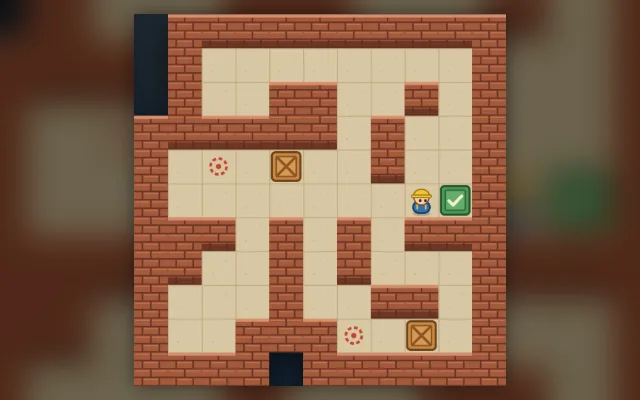
Playing guide
These options and rules describe the current JoyPip version. Choose a mode above before starting; rules are also available during play.
Step-by-step examples
Select a step to see what changes. These are partial examples, not full starting positions.
Detailed rules and controls
Moves and pushes
- Moves count every square the worker walks (pushing steps included); pushes count how often a box was moved. Undo takes both back.
- Each level shows the fewest pushes needed, the optimum found by the computer. After clearing it you can go on or play it again; the level's best moves and pushes are kept separately.
- Giving up ends the run; you can retry from the start of the level where you gave up.
Controls
- Keyboard: arrow keys or WASD take a step, Z or Backspace undoes, R restarts the level, H shows a hint, and Enter goes to the next level once it's cleared.
- Tap a box next to the worker to push it that way; hold an on-screen arrow to keep walking.
Hint
- Hint works out the solution with the fewest pushes from the current position: push the glowing box one square toward the arrow. If you need to walk there first, the route and footprints are drawn on the floor.
- After each hinted push, tap Hint again for the next one. Hints are unlimited; when you clear the level, the result shows how many you used on that attempt.
- If the position can no longer be solved, the hint says how many undos get you back to a solvable one, and the button turns into "Undo ×N": tap it to undo that far.
Tips
- Plan which goal each box goes to and in what order: a box pushed in first may block the way for the others.
- A box pushed into a corner can never come out; a box against a wall can only slide along it, so if that row has no goal it can never be delivered.
Frequently asked questions
Can a box pushed against a wall be pulled back?
A box sits two squares left of a goal, with a wall one square above it: stand to its left and push right twice, just 2 pushes. If you first push it up against the wall, it can only slide along that wall, and with no goal in that row it can never be delivered, so you would have to undo. Each level shows the fewest pushes the computer found, so you can compare your own solution.
Do I need a download or a linked email?
Play directly in your browser without a download. Linking email is an optional way to recover your account. Before clearing browser data, consider whether you need to keep your account or local records.
Do matches earn or spend coins?
Earn coins by checking in and spend them on cosmetics. Matches never cost or award coins.