Playing guide
These options and rules describe the current JoyPip version. Choose a mode above before starting; rules are also available during play.
Step-by-step examples
Select a step to see what changes. These are partial examples, not full starting positions.
Practice options
- Difficulty
- Easy · 48 tiles · Normal · 80 tiles · Hard · 120 tiles
Detailed rules and controls
Controls
- Tap a tile to select it, then tap a matching tile: if they connect, both are removed and the line flashes briefly. If they don't match or can't connect, the tiles shake and the second tile becomes the selection. Tap the selected tile again to deselect it.
- Keyboard: arrow keys move the cursor, Enter or Space selects a tile, Esc clears the selection.
- A hint highlights a removable pair, choosing one that keeps the board solvable whenever it can.
- On landscape or wide screens the board turns sideways automatically; the connection rules stay the same.
Frequently asked questions
Can the connecting path go outside the layout?
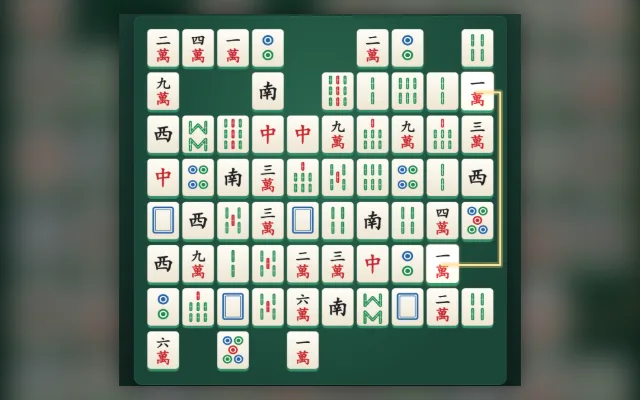
When tiles block a matching pair, try a path around the outside of the board. The whole path may turn at most twice. Removing edge tiles often opens routes to inner tiles.
Do I need a download or a linked email?
Play directly in your browser without a download. Linking email is an optional way to recover your account. Before clearing browser data, consider whether you need to keep your account or local records.
Do matches earn or spend coins?
Earn coins by checking in and spend them on cosmetics. Matches never cost or award coins.